

To make a GTA 6-style video with AI, describe a Vice City scene (or drop in a photo of yourself) and let a video engine render a five- to ten-second clip; for a trailer, chain several shots into one film. Our sister site eroq.ai, made by the same team as GoonTheftAuto, does both in the browser, and its Cinema room writes the shots of a whole trailer for you.
Neither GoonTheftAuto nor eroq is affiliated with Rockstar Games. What you make is a fan video in the GTA 6 look, never footage from the game or its trailers.
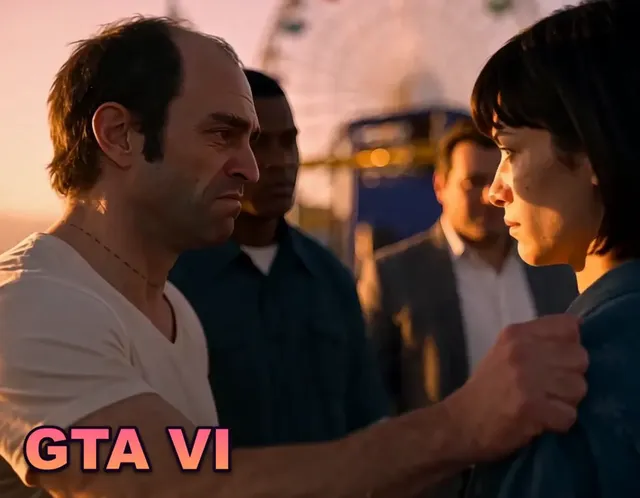
What makes a clip look like GTA 6
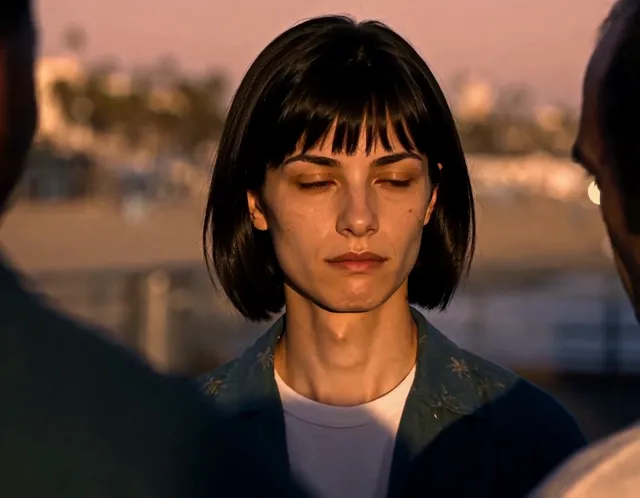
- The light. Golden hour sliding into a pink, orange and purple sky.
- The places. An ocean boulevard of pastel art deco hotels and palm trees (Ocean Beach, where the Y Hotel sits), neon at night, an airboat in the mangroves, a roadside motel sign like the Starlet Motel. Our Leonida map makes a good mood board.
- The cast. An outlaw couple, a convertible, a bag of cash, a police helicopter overhead.
- The camera. Low angles, slow push-ins, a drone pass over a causeway, and short shots.
Describe your own characters rather than naming the game's heroes: the engines don't know Jason or Lucia, and your own outlaw couple is yours to post.
One clip from text, step by step
- Open the generator. On eroq, go to Video, Create.
- Pick an engine. eroq names the engines it runs: Kling holds faces through fast motion, Seedance holds a cast from reference pictures, Veo renders dialogue with the picture, and eroq Motion One is eroq's own engine.
- Write the scene. Who, where, what happens, how the camera moves. A starting point:
Golden hour on an ocean boulevard lined with pastel art deco hotels and tall palm trees. A man and a woman in their thirties walk out of a jewelry store, she pulls a bandana over her face, he carries a duffel bag; they jump into a red convertible and pull away. Low angle, slow push-in, pink and orange sky, warm saturated colours, 35mm, anamorphic. No text, no logos.
- Choose the format. 9:16 for TikTok and Reels, 16:9 or wider for a trailer.
- Generate. The button shows the price before you click, and a render that fails refunds itself. Make two or three takes and keep the best one.
From your photo: you, in the clip
Image to video starts the clip on a picture you choose, so the face, the outfit and the framing stay yours. On eroq's image to video:
- Set the First frame. Drop your photo, or pick one from your Library. Pressing Animate under any image you made does the same.
- Describe only the motion. The picture already says who and where: "the palm trees sway, a car rolls past, she lowers her sunglasses and turns to the camera".
- Add an end frame if you want the clip to land on a precise picture: eroq Motion One, Seedance, Veo, Kling and Hailuo take one.
For the full GTA effect, turn the photo into loading-screen art first, then animate it. Our GTA 6 loading screen guide shows how.
A multi-shot trailer with Cinema
A trailer is a dozen shots that belong together. eroq's Cinema is a room for exactly that: a director chat on one side, the board of shots on the other.
- Tell the director your idea in one sentence. Clap, eroq's director, writes the shots: "A 30-second GTA-style trailer: two lovers just out of prison rob a jewelry store in a neon city, then flee across the island bridges at sunset." Writing the shots is free.
- Read the board. Each shot is a card: open it, reorder it, or ask in the chat ("make shot 3 a drone shot over the bridge", "end on her smile in the rear-view mirror").
- Cast it. Fill each role with one of your characters, made from your photos or from a description, and the same faces carry from shot to shot.
- Shoot. One button renders the film and shows its exact price first. On engines that shoot several shots in one take, such as Seedance, a scene comes back as one render with real cuts.
- Edit and export. The Edit tab lays the shots on a timeline: trim, add titles and music, and export one MP4 in your browser.
Make the trailer look like a trailer
- Titles go in the edit, not the prompt. AI draws letters badly. Keep "no text, no logos" in every prompt and add your title cards and dates in the Editor.
- Cut short. Two to three seconds a shot, a black frame before the title, the music doing the work.
- Label it fan-made. Before launch, AI clips passed off as real GTA 6 footage drew millions of views, and Rockstar had some that closely copied its official promotional material taken down on X. Never put the GTA VI logo on yours or call it a leak.
Who you can put in it
Yourself, a character you made, or a friend who said yes. Real, identifiable people need their consent, and everyone shown is 18 or older: no actors, no streamers, nobody who didn't agree.
What it costs
eroq is free to start: new accounts get free credits with no card, enough to try images. A video clip costs more than those welcome credits, so clips and films need a pack or a plan; every button shows the price first. Writing a film with the director and editing it cost nothing.
To step into an existing GTA clip instead, see our character swap guide and all the GTA 6 AI trends.
Sources
eroq's AI video generator, image to video and Cinema pages; OtakuKart on AI GTA 6 clips and takedowns (July 2026).
FAQ
Is there a GTA 6 AI video generator?
Any AI video generator can make a clip in the GTA 6 look if you describe it: a Vice City sunset, art deco hotels, an outlaw couple, a slow push-in. eroq.ai, our sister site, renders it from text or from your photo on named engines like Seedance, Kling and Veo, or on eroq Motion One.
Can I make a GTA 6 trailer with AI?
Yes. Write the idea in one sentence in eroq's Cinema, let the director write the shots, cast your characters and shoot. The shots are cut into one MP4, with titles and music added in the edit.
Can I put myself in a GTA 6-style video?
Yes: start the clip on a photo of yourself (image to video), or make a character from your photos and cast it. Only your own face, or someone who agreed to it.
Can I use the GTA 6 logo in my video?
No. Keep logos and the game's footage out of it, and label your clip as a fan-made AI video. Neither GoonTheftAuto nor eroq is affiliated with Rockstar Games.


 eroq


