

The GTA 6 loading screen trend turns your own photo into the illustrated art the game shows while it loads: ink outlines, airbrushed shading, palm trees and a Vice City sunset, with your face and your outfit kept. You can make one from a single photo on our sister site eroq.ai, as a still poster or a five-second clip, without CapCut.
eroq is made by the same team as GoonTheftAuto. Neither site is affiliated with Rockstar Games: the result borrows the look of the loading screens, never the game's logos or art.
What the trend is
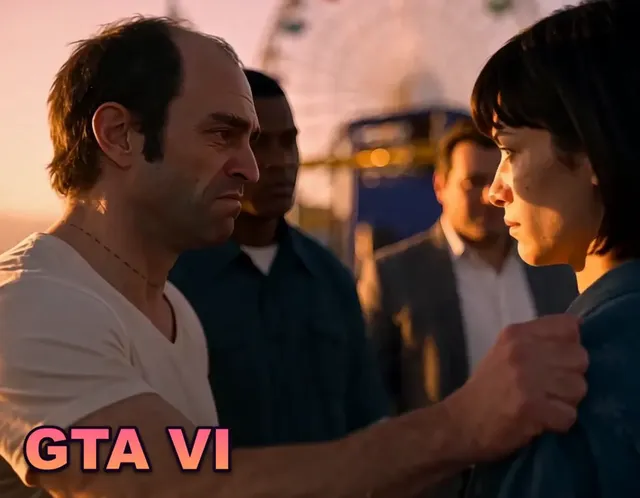
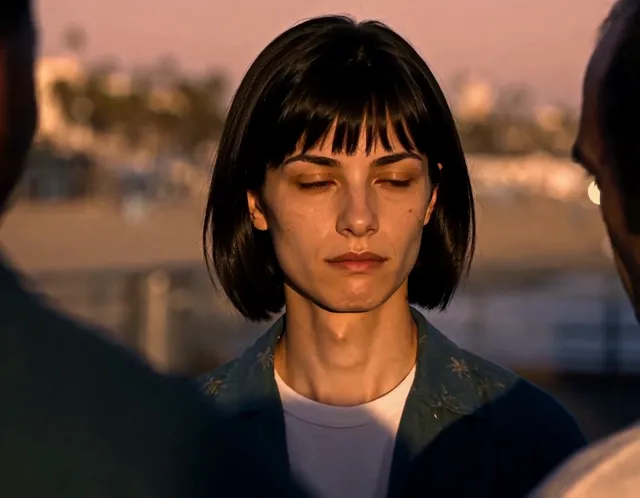
Grand Theft Auto has loaded on illustrated artwork for two decades: characters drawn like poster art, heavy outlines, saturated colour, a confident pose. On TikTok, the trend is an eight-second clip that opens on a real photo captioned "Your GTA 6 loading screen", then squares slide up and the illustrated version takes its place, with a pink and orange sunset, palm trees, neon hotels and a sports car.
It started as a CapCut template, "GTA 6 Screen Ai", posted on August 27, 2026. The launch countdown brought it back: by November 15 the template had 151,781 uses and was adding about 1,900 a day. On release day, papers as far away as Brazil were printing how-tos.
Make it as a clip: the GTA filter
The quickest version is a clip where your photo turns into the art while the camera pushes in.
- Open the effect. On eroq's GTA 6 AI page, the first button opens the GTA filter in Video, Effects (it's also the first card there).
- Drop your photo. One where your face and your outfit are clear and well lit, or a picture of a character you made.
- Add a few words if you like. A pose, a place: "leaning on a pink convertible", "on a rooftop at night".
- Generate. Five seconds on eroq Motion One. The price shows on the button before you click.
Make it as a still poster
For a profile picture, a thumbnail or a story, make the still instead.
- Open Image, Edit. The "Make it a still" button on the GTA 6 AI page opens it with the recipe already written.
- Drop your photo and press Edit. It comes back in a few seconds with your face kept.
- Make two or three takes and keep the best. To bring it to life later, press Animate under the picture and say what moves.
If you'd rather write the prompt yourself, start here:
Turn this photo into the illustrated artwork of a GTA 6 loading screen: the same person with the same face, hair and outfit, redrawn as hand-painted video game key art with crisp black ink outlines and airbrushed cel shading, a confident pose, an ocean boulevard at sunset behind them with palm trees, art deco hotels and a pink, orange and purple sky. No text, no letters, no logos.
Backdrops from Leonida
The boulevard is the classic, but the whole state works. Describe the place in words: the engine doesn't know Leonida's names, so "a roadside motel at dusk" works better than a street name.
- Ocean Beach at night. Pink and cyan neon, art deco towers, the Y Hotel behind you.
- The Keys. A wooden dock, a speedboat, turquoise water, like Brian's boat yard on Key Lento.
- Port Gellhorn. A faded motel sign and a cheap neon glow, as at the Starlet Motel, where Vicki lives.
- Grassrivers. An airboat in the mangroves at sunset (the swamps on our map).
- Mount Kalaga. A pickup truck among the pines (Mount Kalaga National Park).
Variations people post
- The couple. One photo of the two of you, back to back or arm in arm. Both of you should agree to it.
- The crew. A photo of your friends together: each keeps their own face.
- On the car. Add "sitting on the hood of a pink convertible".
- Night version. Swap the sunset for "at night under pink and cyan neon".
Keep "no text, no letters, no logos" at the end of every prompt. AI draws letters badly, and the trend's caption belongs in your video editor anyway.
Post it on TikTok
Download the picture or the clip from your Library, open TikTok and add the trend's touches in its editor: a "Loading…" line at the bottom, a progress bar, your name in big letters. A still works as a photo post; the clip works as a video with the sound you pick.
Who you can put in it
Yourself, a character you made, or a friend who agreed to it. Real, identifiable people need their consent, and everyone in the picture is 18 or older. Want the game's own heroes as art instead? Our galleries collect fan art of Lucia, Vicki and the rest of the cast (18+), and our GTA 6 fan art guide covers the styles.
What it costs
eroq is free to start: new accounts get free credits with no card, enough for a few loading-screen stills. The clip version needs credits from a pack or a plan. Every button shows its price before you click, and a render that fails is refunded.
Sources
eroq's GTA 6 loading screen guide and GTA 6 AI page; ViralRemix on the trend (template launch and usage figures); O Liberal (November 19, 2026).
FAQ
How do I make a GTA 6 loading screen of myself with AI?
Drop a photo of yourself into the GTA filter on eroq's GTA 6 AI page for a five-second clip, or into Image, Edit for a still poster. Your face and outfit are kept and redrawn as loading-screen art with a Vice City sunset behind.
Can I make a GTA 6 loading screen without CapCut?
Yes. eroq works in the browser and in its phone app: drop your photo, generate, download, then add the "Loading…" caption in TikTok's own editor.
Is there a free GTA 6 loading screen AI?
New eroq accounts get free credits with no card, enough for a few still posters. The clip version needs a pack or a plan.
Can I make a couple loading screen?
Yes: use one photo of the two of you and both of you are drawn into the same art. Make sure your partner agrees to it.
Is it the official GTA 6 loading screen art?
No. It reproduces the general look of the loading screens, never Rockstar's art or logos. Neither GoonTheftAuto nor eroq is affiliated with Rockstar Games.


 eroq


